Bella ScreenRec
Bella ScreenRec records your screen for video tutorials. It records a whole screen, one window or a region you draw to an MP4, with your microphone and the sound of your computer. Two small floating windows sit on top: your camera, cut to a shape and with the background blurred or removed, and the keys you press, such as ⇧ ⌘ P. They are real windows on your screen, so what you see is what ends up in the video.
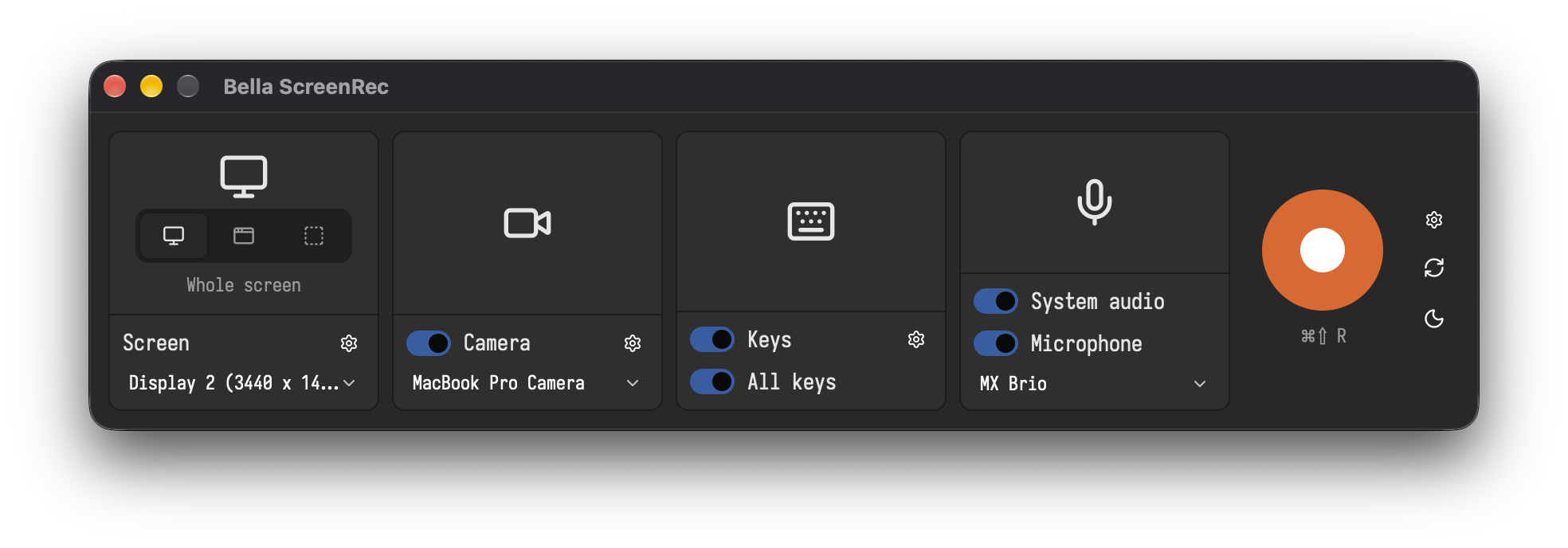
Bella ScreenRec runs on macOS 15 or newer with Apple silicon. Windows and Linux follow later.
Where to start
- Install: download, permissions, updates
- The window: the four tiles and their settings
- Recording: screen, window or region, start and stop
- Camera overlay: shape, size, background blur or removal
- Key overlay: which keys show and how long
- Configuration files: what is stored where
- License: free recordings of 20 s, unlimited with a license
Keys in this manual
Keys are written for macOS: ⌘ is Command, ⌥ Option, ⌃ Control and ⇧ Shift. On Windows and Linux, once they are supported, ⌘ becomes Ctrl. The one key to remember is the hotkey ⌘⇧R: it starts and stops a recording from any app.